mirror of
https://github.com/qmk/qmk_firmware.git
synced 2026-10-01 06:19:16 +02:00
 Kenneth FossenandJoel Challis
c9f942e43c
Kenneth FossenandJoel Challis
c9f942e43c
* Bouvet MacroPad v1

* Working macropad and encoders

* Fix matrix, and custom keymap

* The perfect developer keyboard

* Move to handwired

* Rev 1.1

* Move to handwired

* Turn off debugging

* Fix copyright

* qmk lint

* Update keyboard.json

* cleanup

* Update image

* Move encoder config

* Update keyboards/handwired/bouvet/macropad/v1/keyboard.json

Co-authored-by: Joel Challis <git@zvecr.com>

* Cleanup

---------

Co-authored-by: Joel Challis <git@zvecr.com>
bouvet/macropad/v1
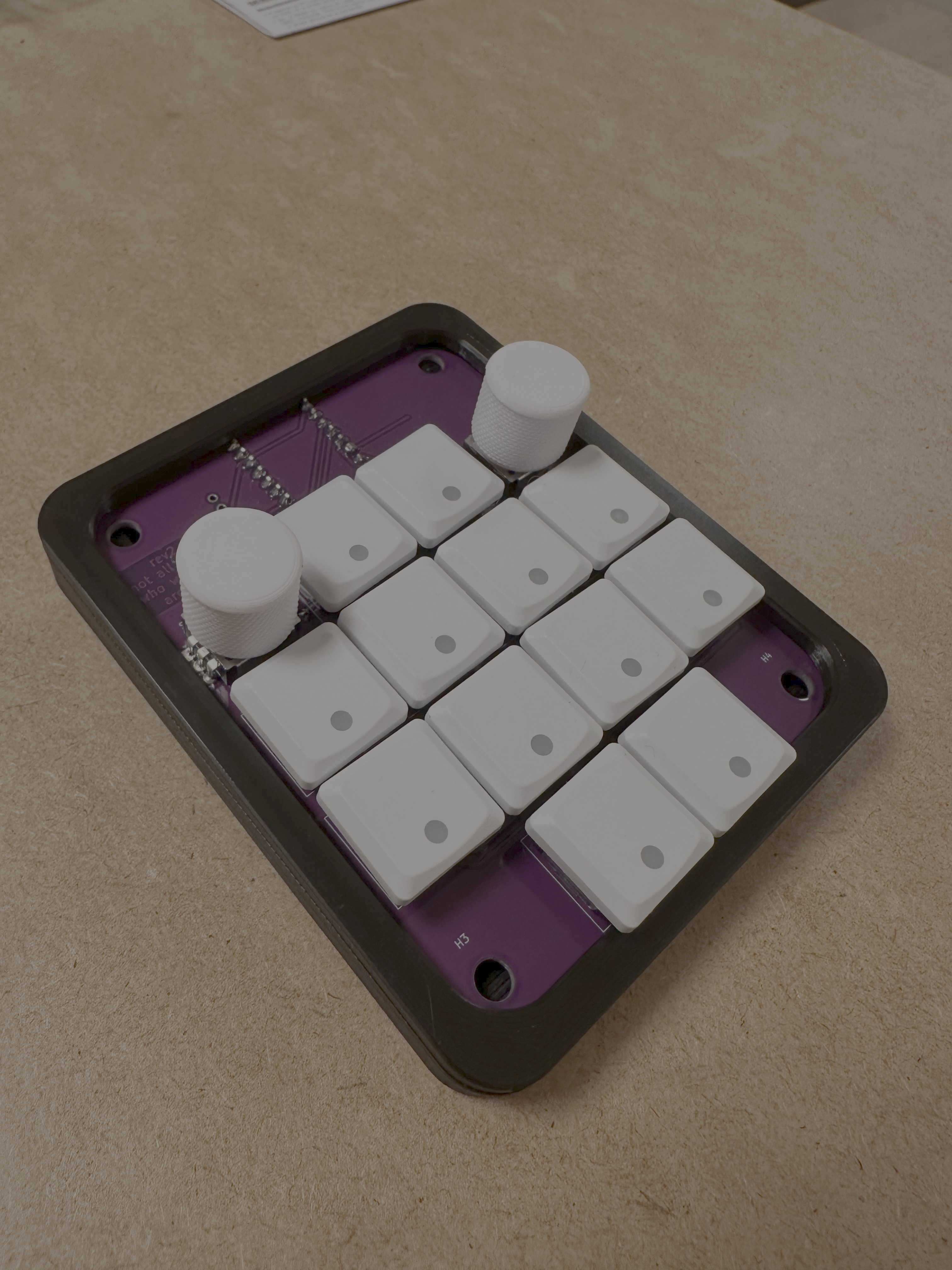 Small macropad, with two rotary encoder buttons and 14 keys.
Optional OLED 128x16 screen, small learning and sharing project.
Small macropad, with two rotary encoder buttons and 14 keys.
Optional OLED 128x16 screen, small learning and sharing project.
- Keyboard Maintainer: Kenneth Fossen
- Hardware Supported: Bouvet Macropad
- Hardware Availability: Shop
Make example for this keyboard (after setting up your build environment):
make handwired/bouvet/macropad/v1:default
Flashing example for this keyboard:
make handwired/bouvet/macropad/v1:default:flash
See the build environment setup and the make instructions for more information. Brand new to QMK? Start with our Complete Newbs Guide.
Bootloader
Enter the bootloader in 3 ways:
- Bootmagic reset: Hold down the key at (0,0) in the matrix (usually the top left key or Escape) and plug in the keyboard
- Physical reset button: Briefly press the button on the back of the PCB - some may have pads you must short instead
- Keycode in layout: Press the key mapped to
QK_BOOTif it is available